Introducing: Curator
Sheet music is long. Not only horizontally, but also vertically.

Background
Sheet music is long. Not only horizontally, but also vertically.
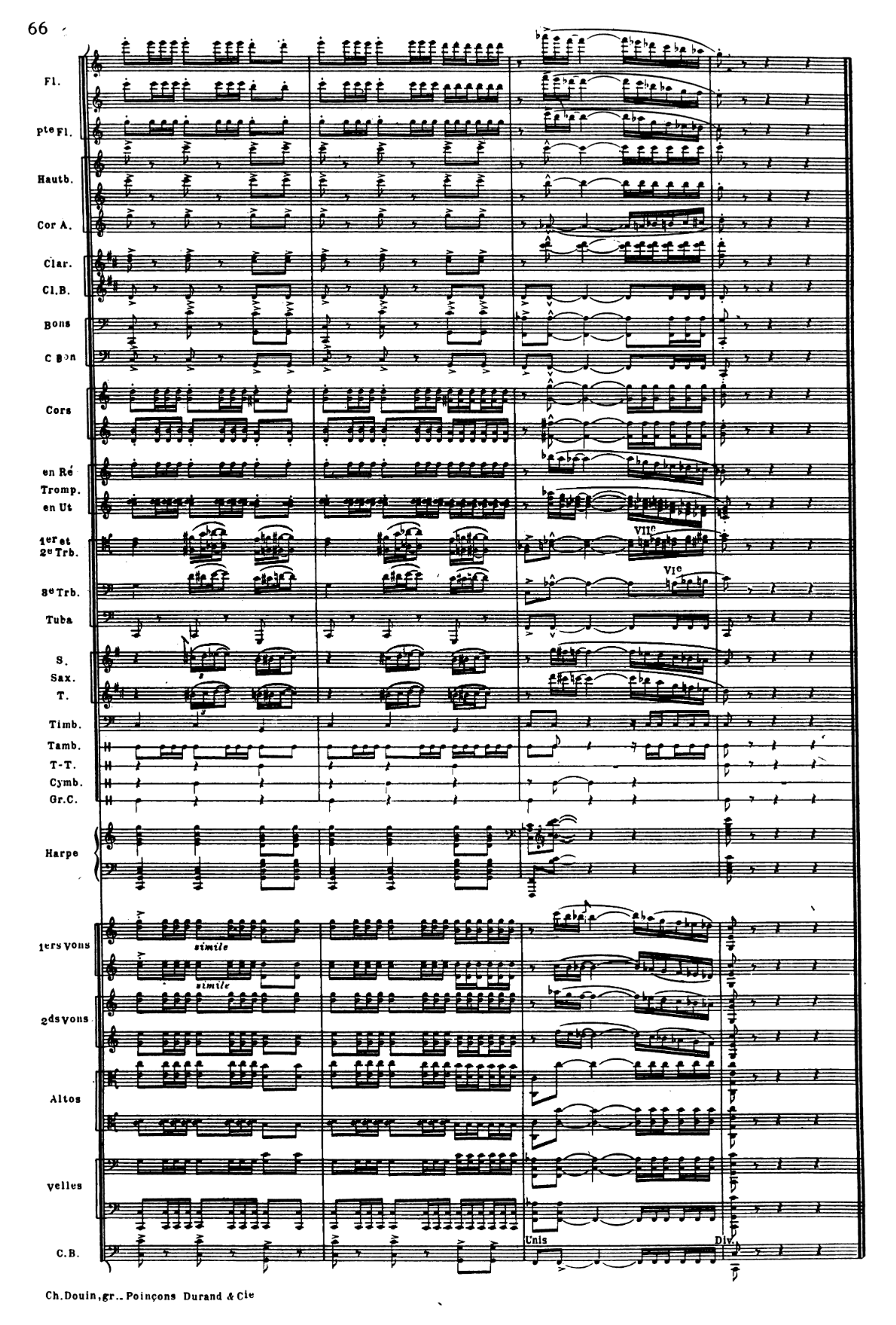
What happens if you want it to be accessible on a phone or computer? It would be too cramped to fill all those pages. Too bland to just show a piano reduction.
Until one day, someone has this genius idea: How about only showing the interesting part and making it dynamically appear and disappear?
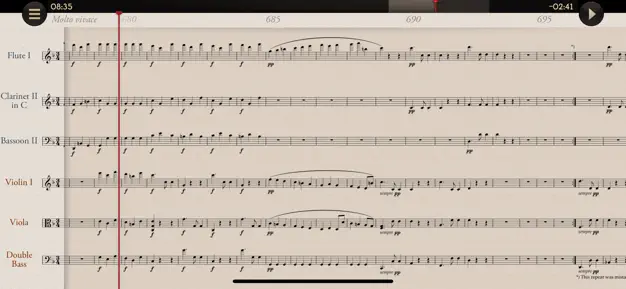
You got the legendary app. It is one of the best music software ever produced on a mobile device (personal hot take). You could feel the instrumentation, see how the choir emerges into the holy hymn.
Solution
Well, we're in 2026.
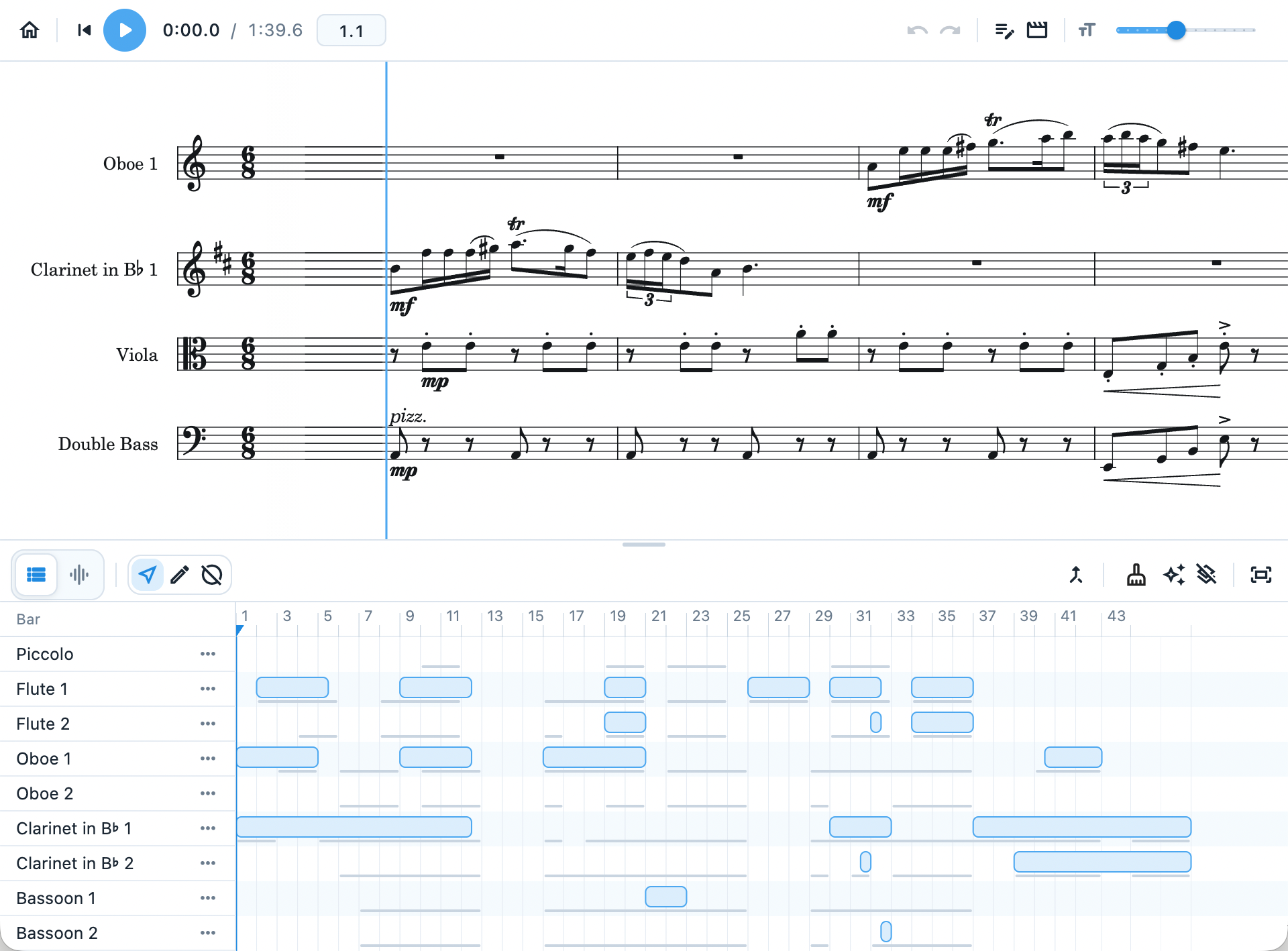
That's efficiency! It's written in Flutter and uses Verovio to render the music. It only supports MusicXML for now, but LilyPond support is on the way. For MIDI files, I personally encourage everyone to feed MIDI into a notating software first.
It already supports:
- Its own project format
- A built-in demo to play with
- Smooth animation and render
- Undo, redo, playback, and sync score and audio
- Configurable animation time
- MusicXML interpretation
- Quick edit for texts
- Export to videos
Feature showcase
In the bottom panel, there are DAW-like regions, where I could just drag a region, and it will be shown in the preview area.
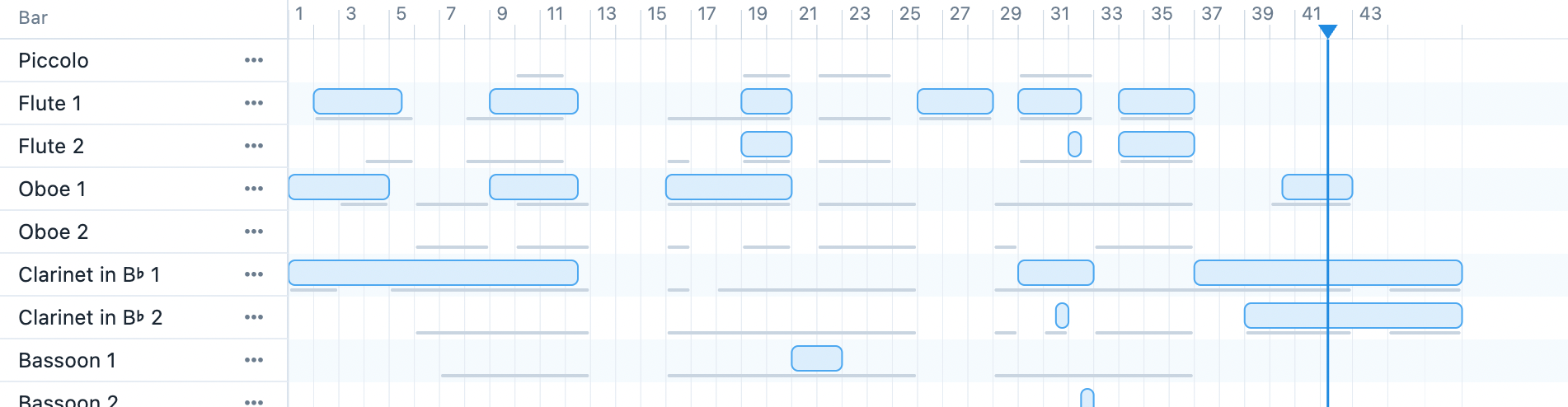
There are even condensing options; save more vertical space if you like condensing two flutes into a single staff line.
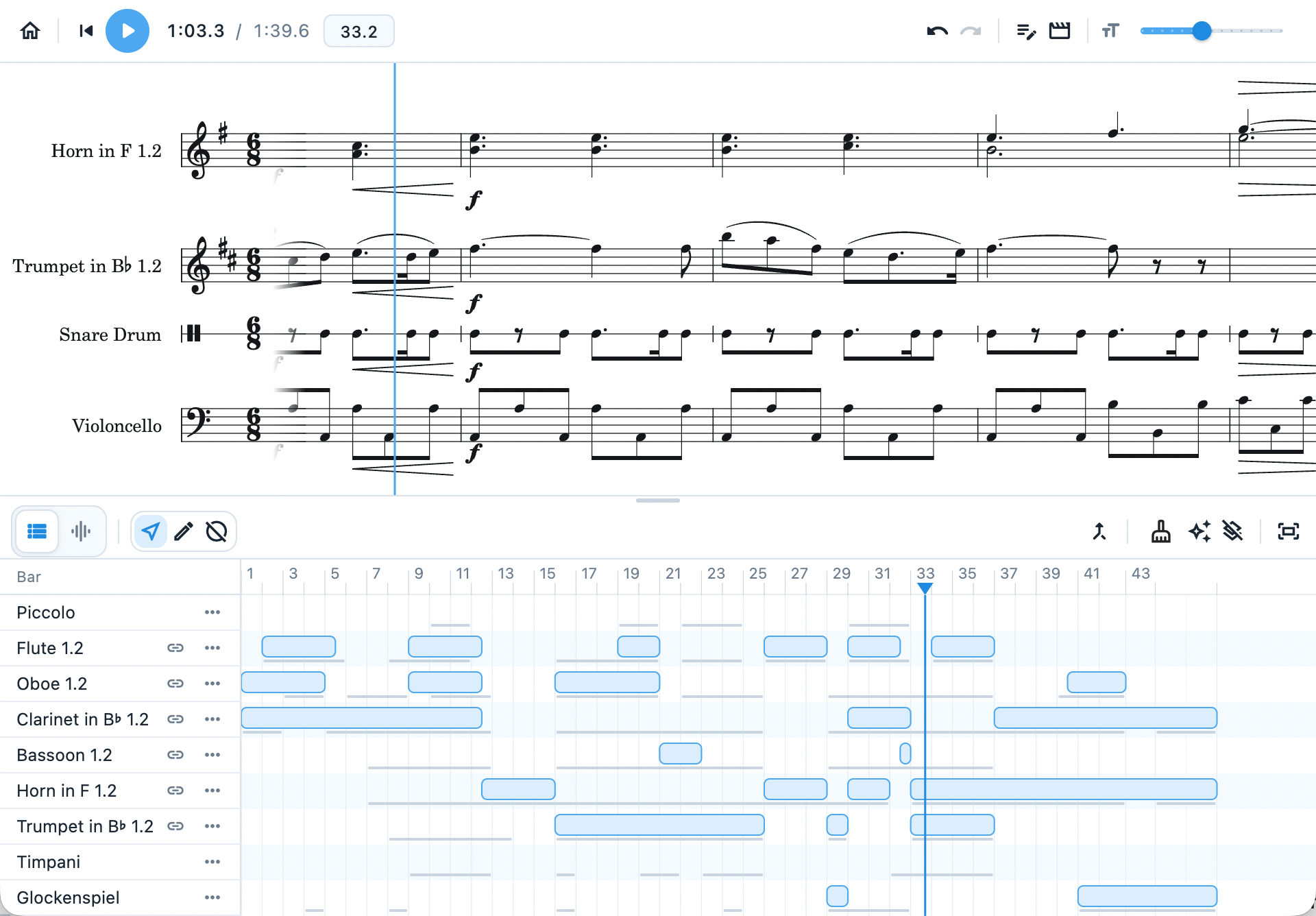
(This feature is not completed yet; it may yield weird engraving bugs.)
An agile audio-score syncing system, assume you have a decent reaction time, just tap when the score de-syncs with the audio.
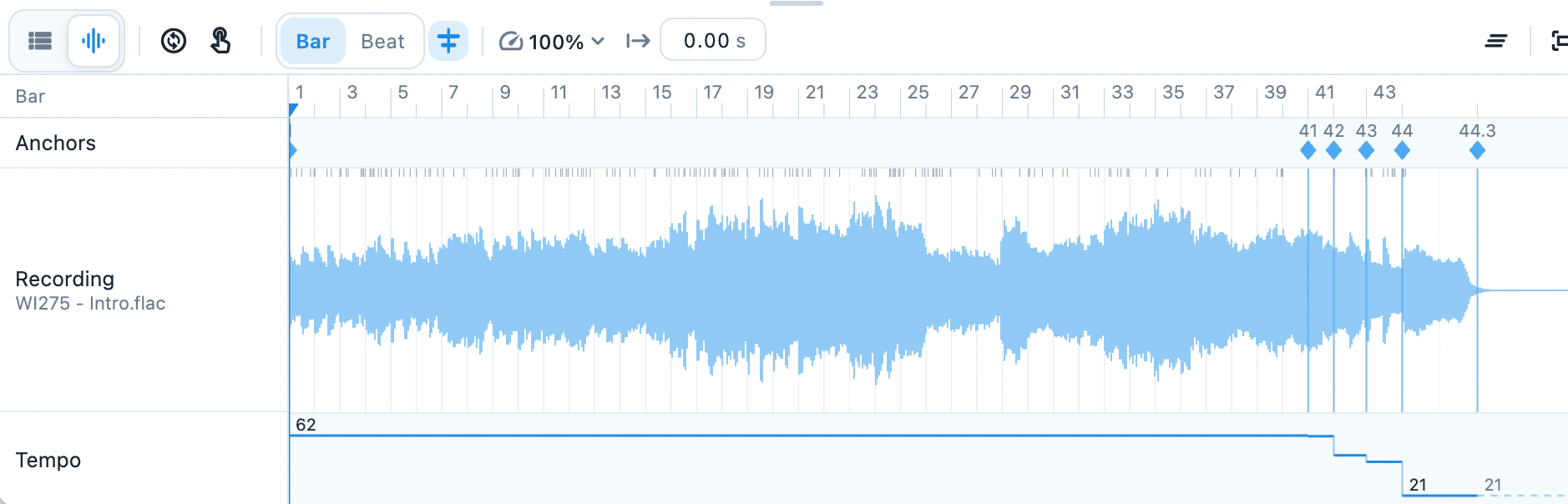
To ensure maximum laziness, all anchors' initial value is calculated by either the tempo reported from MusicXML or the tempo determined by the previous anchors.
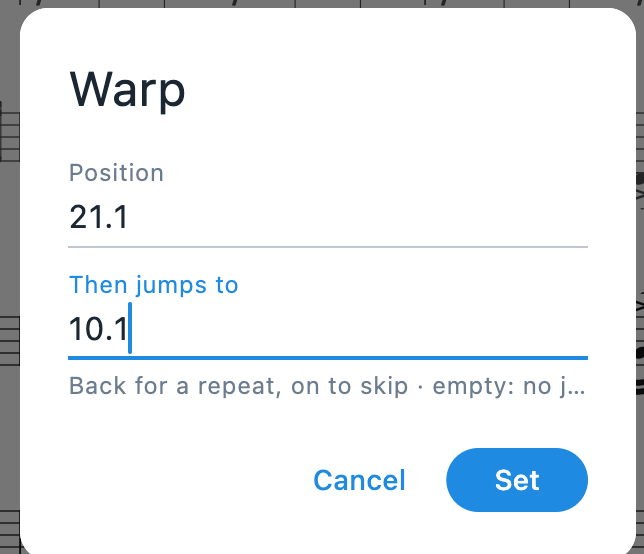
Oh, and a warp function for repeats.
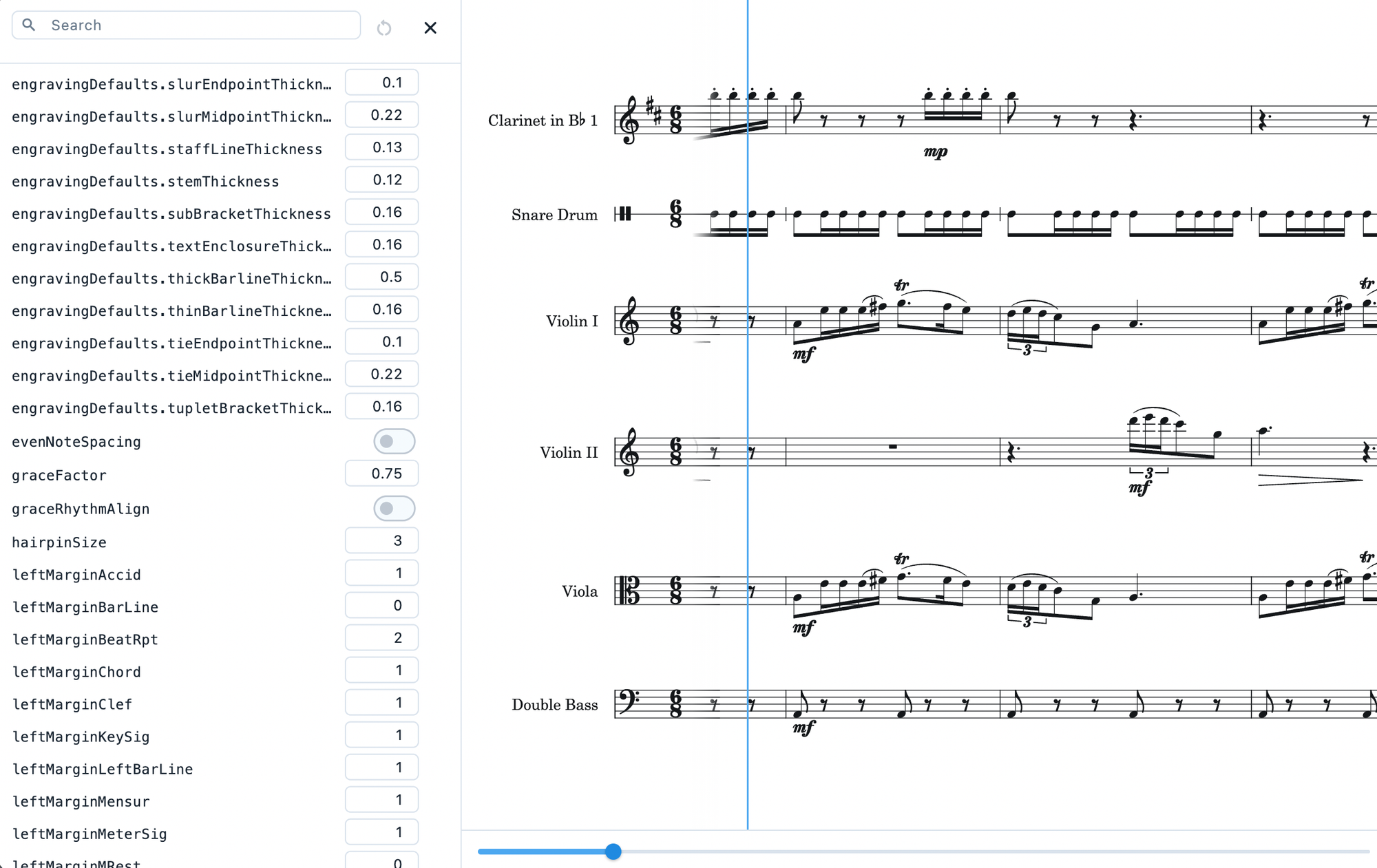
... and a detailed engraving option listing things that I would not mess with.
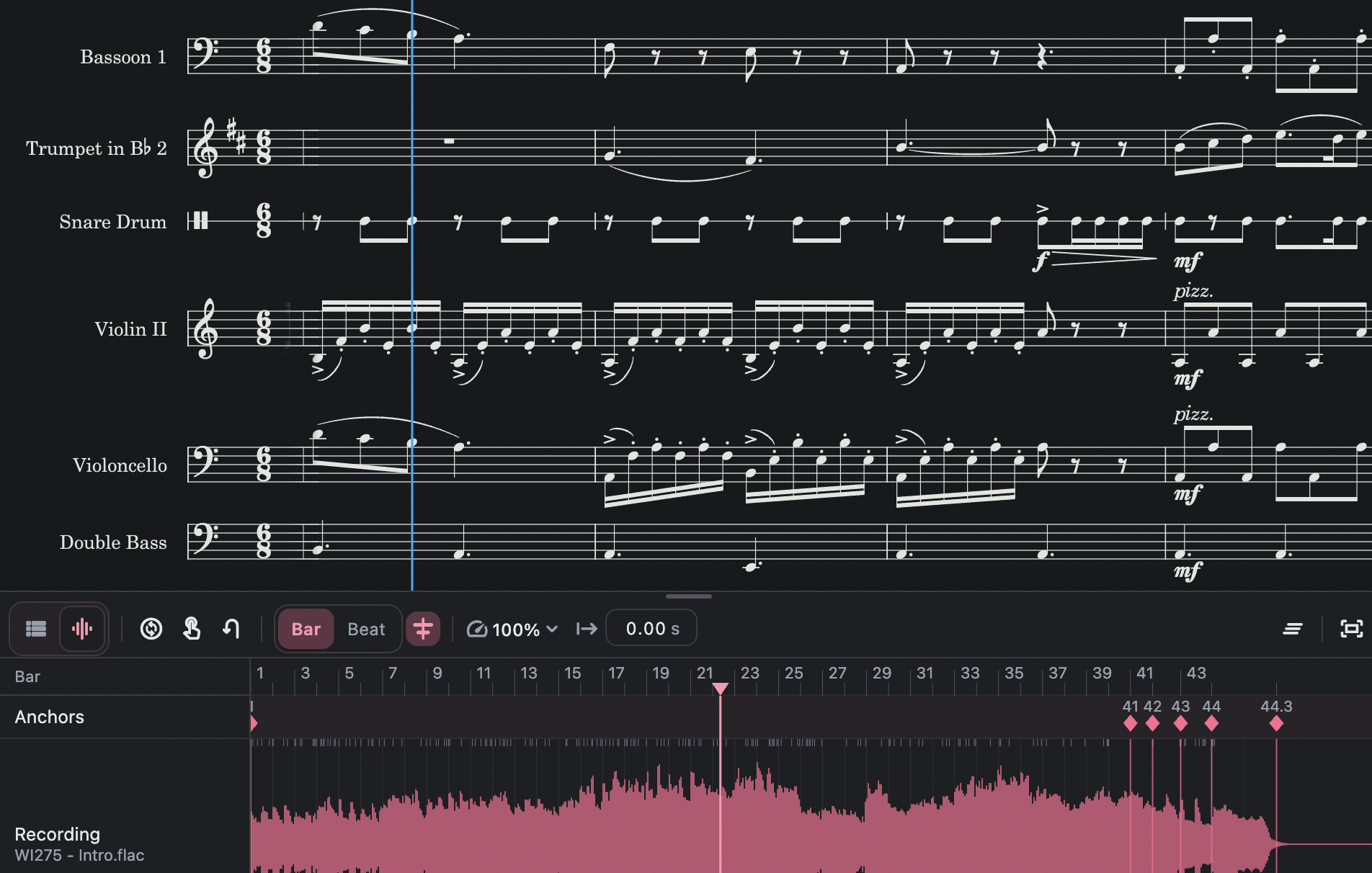
Demo
Yes, this is the piece shown above, it is also included in the program folder as the demo for everyone to tweak with.
The MusicXML file is licensed under CC BY-NC-ND 4.0.
Why?
Well, it's fun; it’s a quick way to showcase your orchestration without spoiling the full image; it could also be a highlighter to the phrase of interest. With the making of these curated scores, I know where the core of the music is, which part is the skeleton, the essentials. Priceless skill.
Instead of letting everything shown at once, why not let the system explain the structure, let them speak for themselves?
It's not meant to be used alone; use it along with a notating software, as if this is a fancy export option!
Download
It is free and open-source, but it is only tested on macOS.
Get it on Github: https://github.com/xy057/curator
Future plans?
- Windows Support
- Tonality and comment track, like the Beethoven app?
- Auto tempo detection?
- Support for SVG graphics?
- (Out of ideas for now)?